3D Book Covers
STEP BY STEP APPROACH
STEP 1: Find High Quality Images for the Book Cover
- Copy the Headline of News from “Books & Author” Pages in <RAW-MONTH.docx>
- Paste it into Google Search Bar
Read the Headline to identify the name of author and name of book, these 2 terms will help you in properly finding the Images of the Book Covers.WATCH PART 1 OF THE VIDEO GUIDE LINKED AT THE END OF THIS PAGE, TO UNDERSTAND HOW TO FIND IMAGES.
Get a High-Quality Image for the Book Cover
- Enter the Target Search result you want to search about.
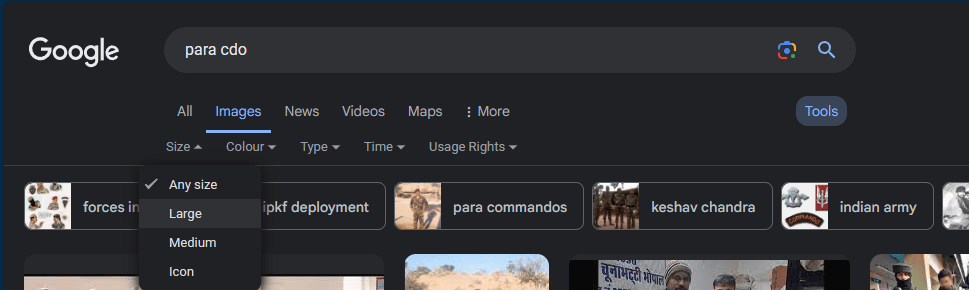
- By Default, you’ll be in “All” tab, Now Go to “Images” tab.
- At the Right Corner you can see the “Tools” <Click on it>.
- Set Size to “Large”.
What if ?
Q1: Can’t find a High Quality Book Cover Image.
-> You can try searching some different terms related to the book, in the end if still can’t find any than download a low quality image and upscale it with AI using this tool below:HOW TO CONVERT WEBP IMAGES TO PNG FORMAT?
- Open the URL below and upload files you want to convert.
https://cloudconvert.com/
- Start Conversion and Download your Images.
HOW TO UPSCAL WITH AI ?
- Create a free account using Google Sign-Up on www.picwish.com <Use Link Below>
https://picwish.com/signup?return_url=https%3A%2F%2Fpicwish.com%2F
- Upload Image to this Tool using this URL and download the unblurred final result